UX Design
User Research
8 weeks (2023)
Timeline:
My Role:
UX Designer
Personal Project
type:
Tools:
Figma Miro
Project Background
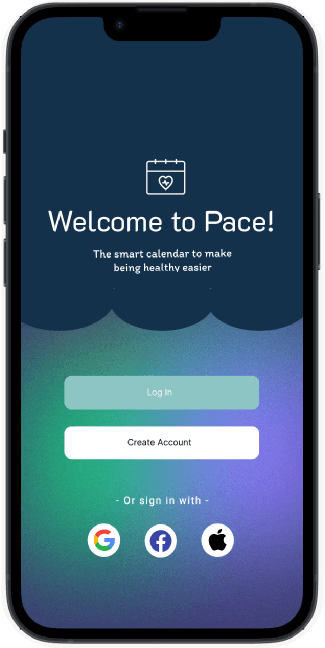
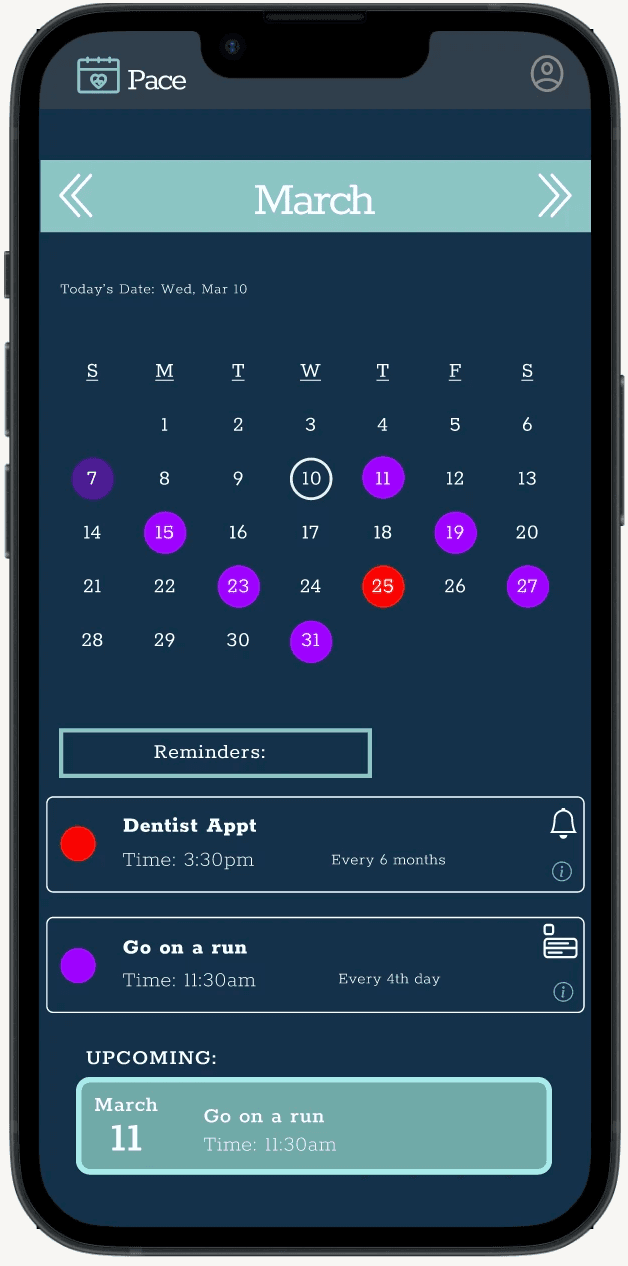
Maintaining a healthy routine can be challenging for individuals with busy schedules, as habits like exercise, medical appointments, and self-care often get overlooked due to forgetfulness and the mental effort of planning. While existing tools focus on either scheduling or tracking, they rarely combine both in a way that supports long-term consistency. Pace was created to bridge this gap by integrating habit-building with an intuitive calendar system, helping users reduce cognitive load and stay on track through simple planning and timely reminders.
My Process
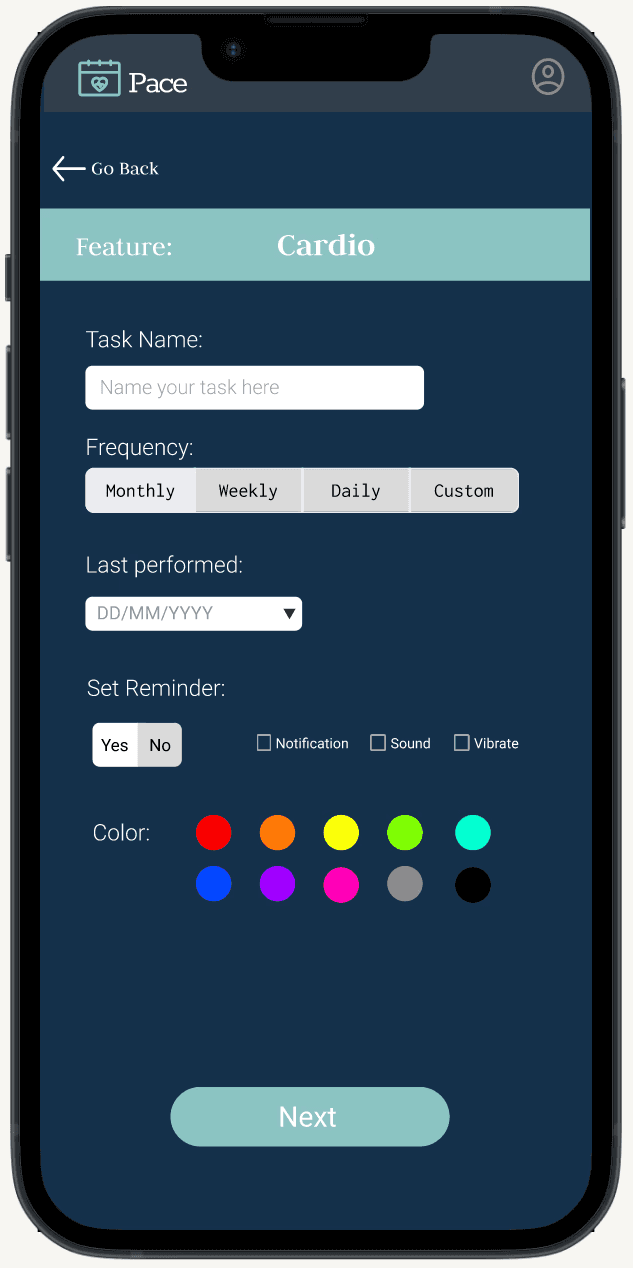
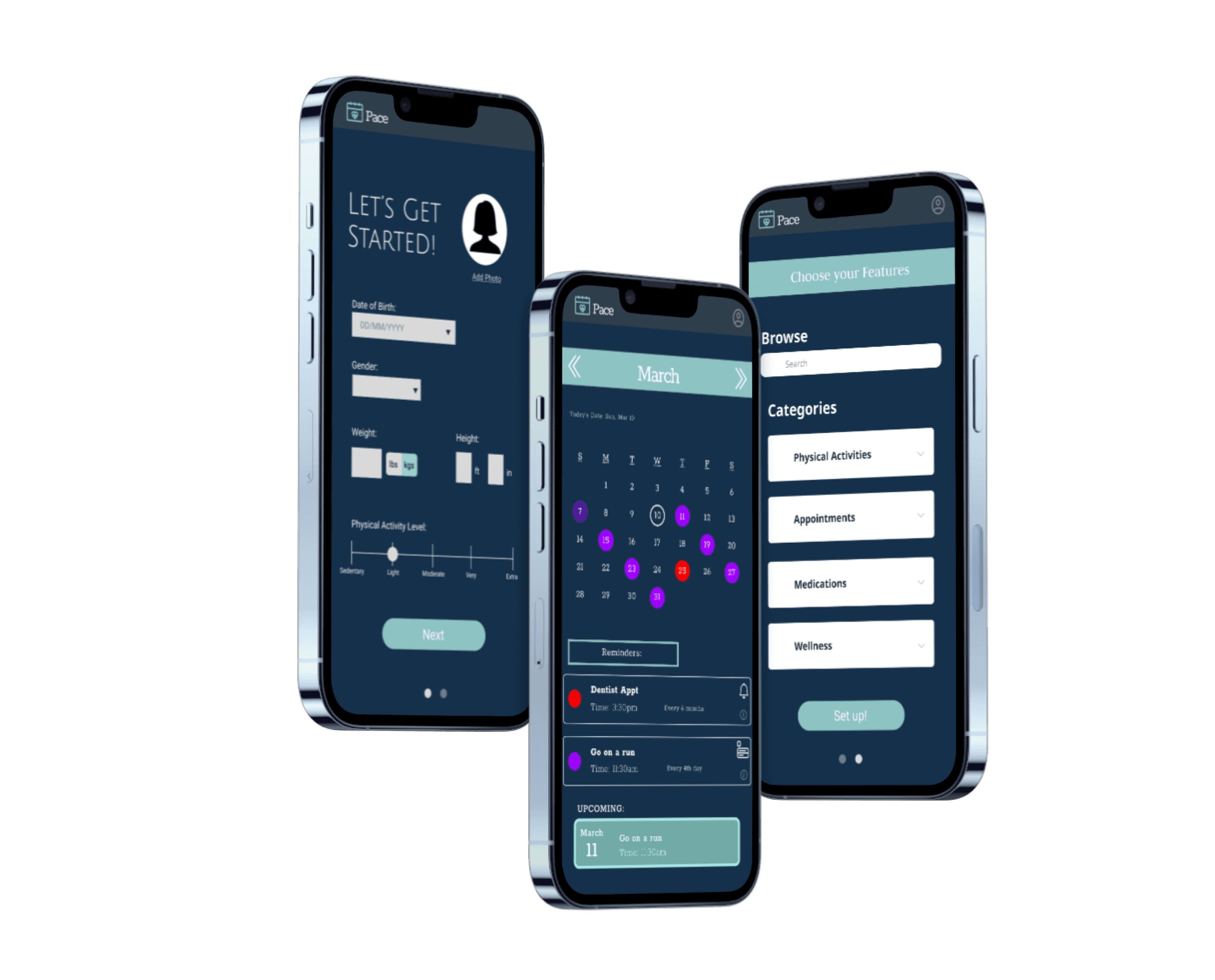
Starting from my own experience with health and lifestyle apps, I noticed that most demand too much setup and ongoing effort to maintain. I wanted to design something that felt effortless from the start. Pace lets users log recurring activities: cardio, strength training, routine medical visits, and automatically structures them within a personal calendar. By entering the date of their last activity and a preferred frequency, reminders are set without any manual tracking or rescheduling needed.
User Flow
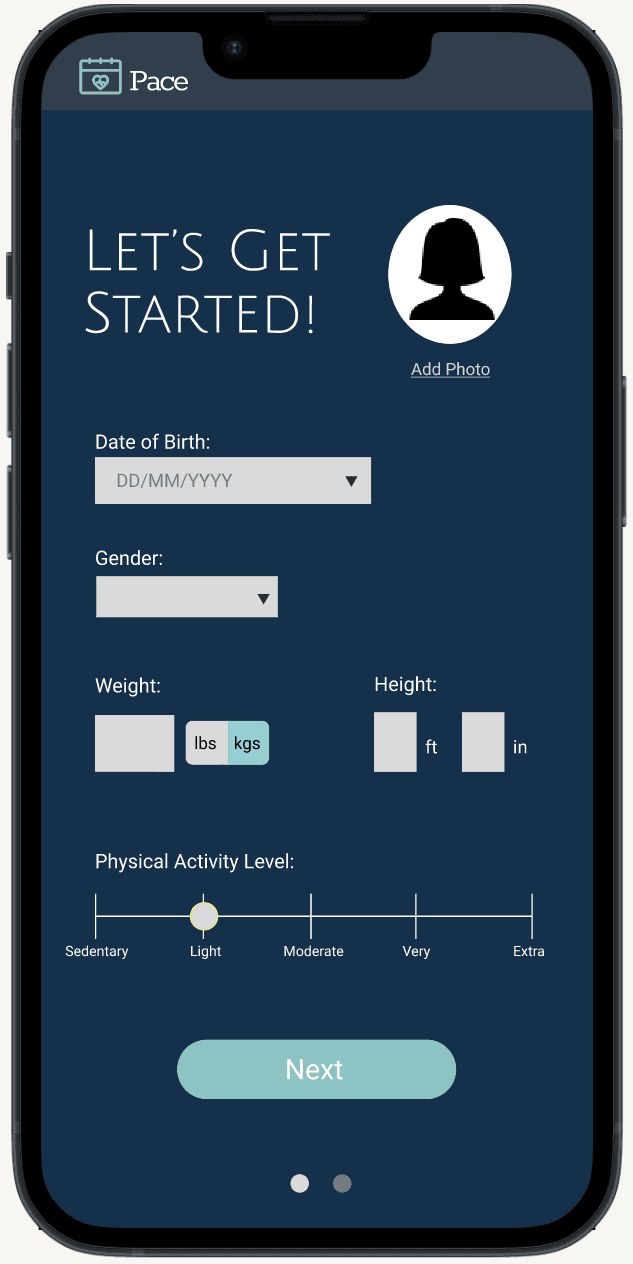
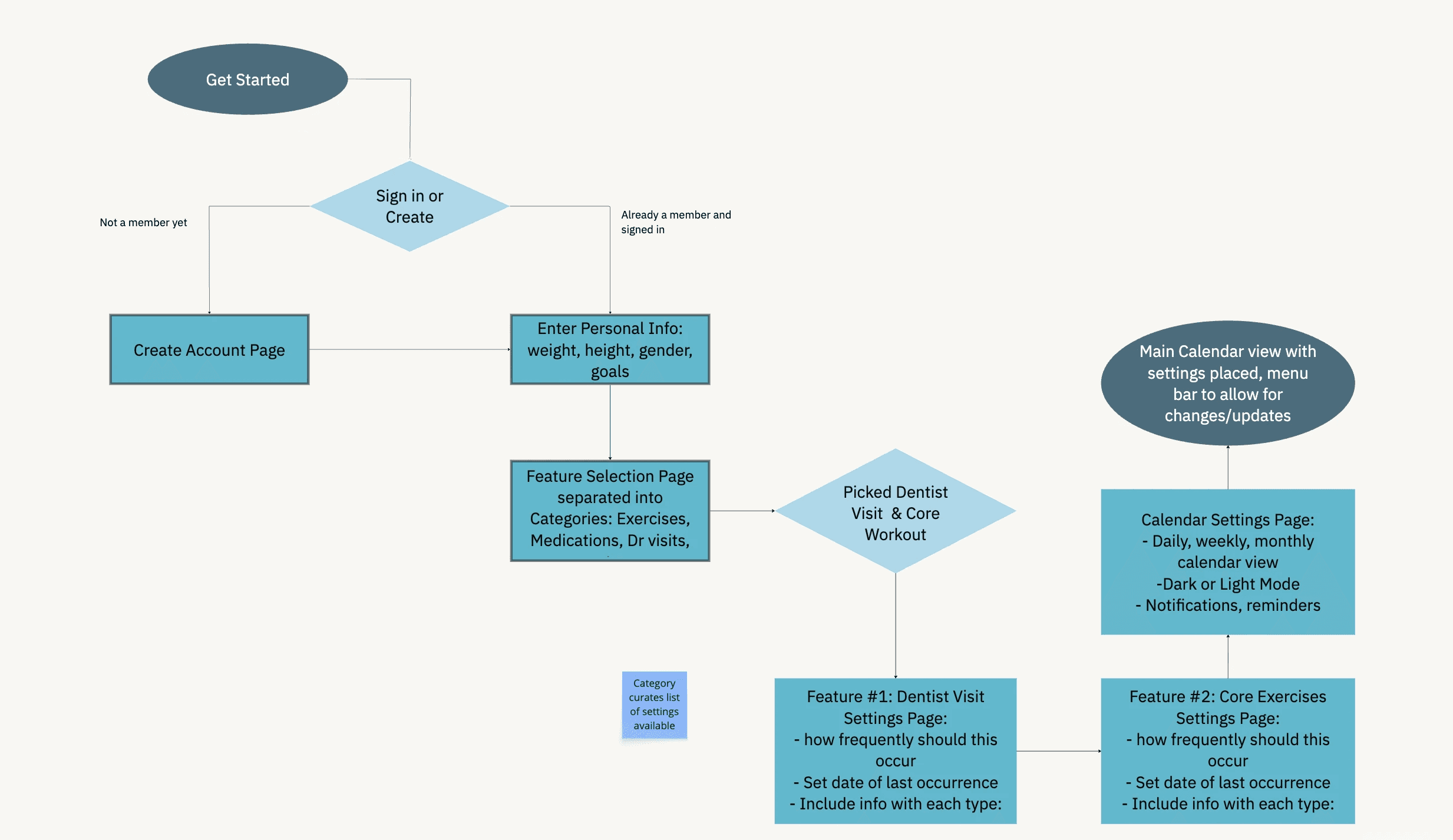
I prioritized a simple, minimal workflow so the app would never feel like a chore to set up. Every decision in the onboarding flow was intentional, reducing friction at each step so users could get to the value of the app as quickly as possible. With just a few decisions, users can have a fully functioning calendar built out and ready to go, without ever feeling overwhelmed by options or configuration.
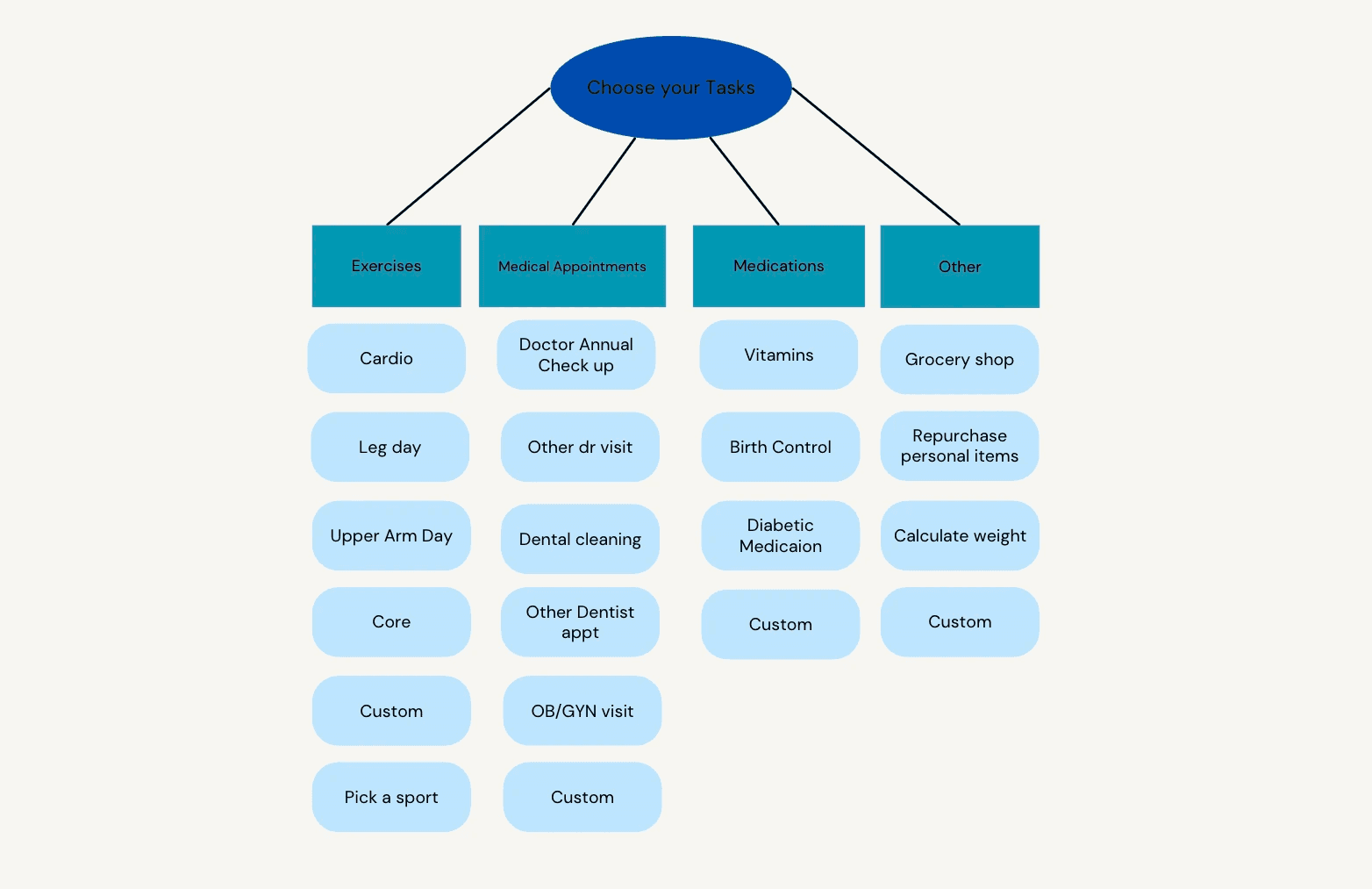
Categories Blueprint
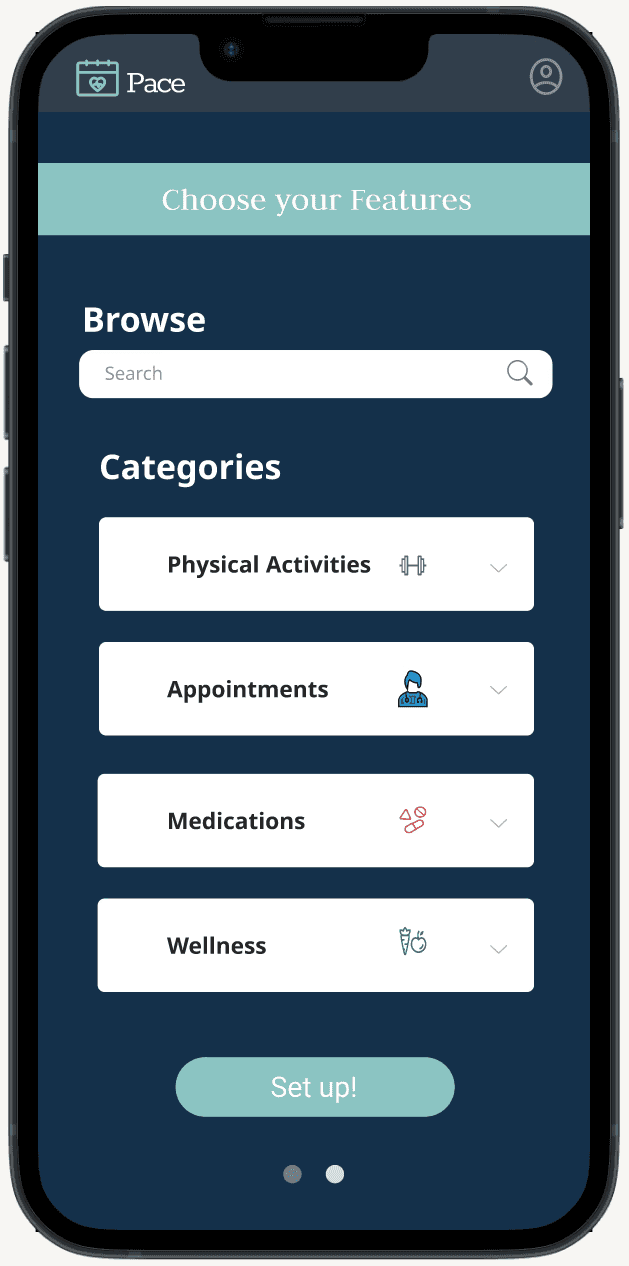
The task selection screen organizes health and wellness activities into four clear categories: Exercises, Medical Appointments, Medications, and Other, so users can quickly identify and choose what's relevant to their lifestyle.
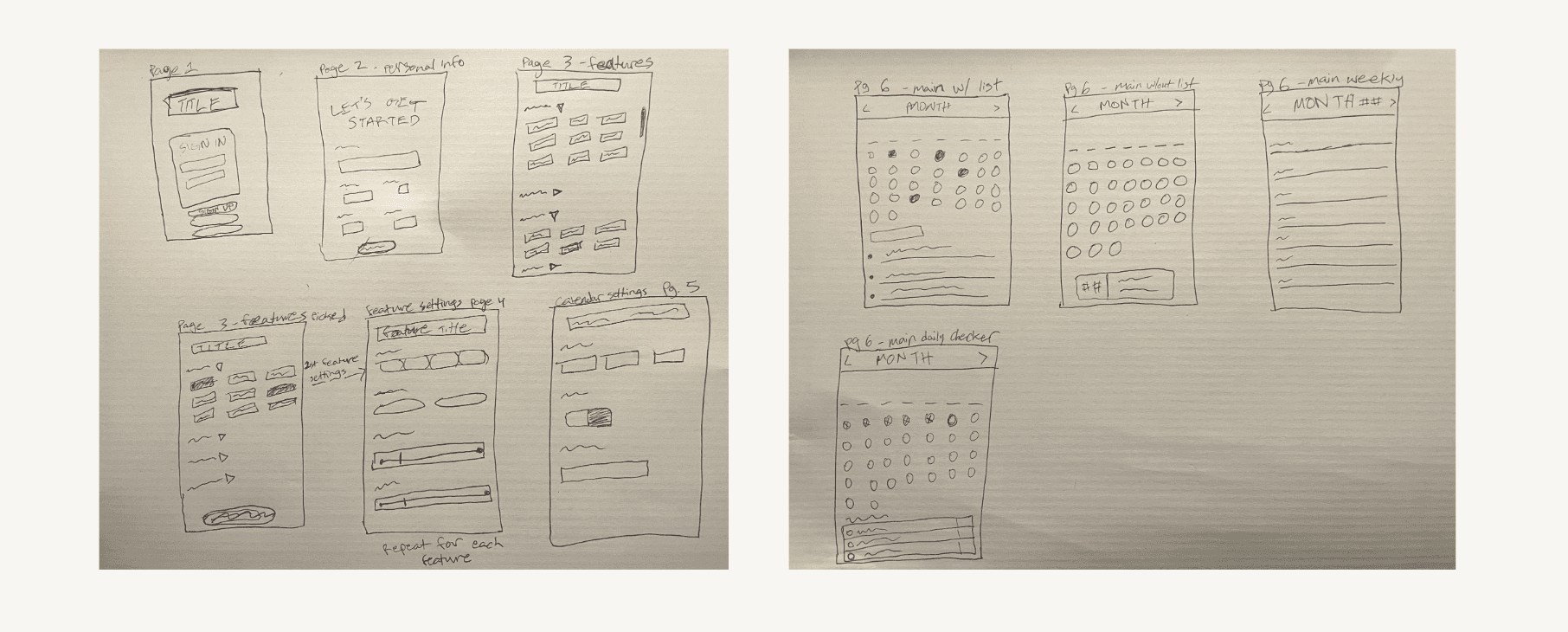
Sketching the solution
Before jumping into any digital tools, I always start with pen and paper. These low-fidelity wireframe sketches allowed me to quickly explore layout ideas and establish the app's structure without the distraction of details.
Outcome
Challenges
Reducing cognitive load without losing control
The whole premise of Pace is lowering mental effort, but users still need to feel in control of their schedule. Finding that balance in the UI: what to automate vs. what to leave to the user was a key challenge.
Merging two mental models
Calendars and habit trackers live in separate headspaces for most people. Making the integration feel natural (not like two apps bolted together) required careful information architecture decisions.